Slice — Share Notion with clients, without oversharing
Basic Information
Name: Slice
Tagline: Selective Notion sharing made simple.
Category: Productivity & Collaboration
Marketplace tagline
Safely share Notion databases with clients — without exposing private notes or internal fields.
One-sentence value proposition (critical)
Slice lets you share live Notion databases externally with enforced boundaries — so private notes, properties, relations, and workspace data stay hidden.
What Slice does
Slice creates secure, read-only public links for Notion databases so you can share work externally without giving workspace access or risking accidental exposure.
You decide exactly what's visible.
Everyone else sees only what you intend.
Perfect for:
- Project Managers sharing status updates with stakeholders
- Consultants creating client-facing dashboards
- Teams building public-facing documentation
- Content Creators showcasing data-driven insights
- Anyone who needs to share Notion data with external parties
Key Features:
- 🔒 Secure & Private - Only selected data is shared, everything else stays private
- 🎨 Beautiful Design - Clean, responsive layouts that work on any device
- 🔍 Search & Filter - Built-in search and filtering for large datasets
- 📱 Mobile Ready - Optimized for viewing on phones and tablets
- ⚡ Fast Loading - Optimized performance for quick data access
- 🎯 No Account Required - Recipients don't need Notion accounts
- ⏱ Share expiry controls — automatically expire public links
- ♻️ Revoke and regenerate links — manage share access from your dashboard
- 🔐 Hardened access boundaries — stronger enforcement for hidden data
Your data stays in Notion — Slice only controls how it's safely shared.
The problem Slice solves
Notion is powerful for internal collaboration.
Slice adds an extra layer of control when sharing work externally.
If you've ever thought:
- "I want to share this with my client… but not everything"
- "I hope they don't click into something they shouldn't see"
- "I don't feel comfortable sending this link"
Slice was built for you.
Notion's sharing tools are designed for collaboration inside teams.
Slice is designed specifically for external sharing use cases.
Slice complements Notion by giving you an extra layer of control when sharing work outside your workspace.
How Slice works (simple + reassuring)
Slice sits alongside your Notion workspace and lets you:
- Share live Notion databases with external people
- Explicitly control which columns and rows are visible
- Enforce hard access boundaries (not just UI hiding)
- Prevent access to:
- o Internal notes
- o Hidden properties
- o Relations
- o Other workspace content
External viewers can only see what you intentionally allow — nothing more.
No duplication.
No exporting.
No anxiety.
Who Slice is for
Slice is built for people who use Notion for paid work, including:
- Freelancers managing client projects in Notion
- Consultants sharing dashboards or deliverables
- Agencies collaborating with multiple clients
- Founders sharing roadmaps or investor updates
- Operators running client-facing workflows
If Notion is your internal brain —
Slice is how you safely show the outside world.
What makes Slice different
Slice is not a website builder, portal platform, or no-code app.
It is intentionally focused on one thing:
Safe, enforced sharing of Notion data with external people.
When sharing beyond your workspace:
- Hidden fields stay hidden
- Viewers can't click through to private data
- Access is enforced at the data level, not just visually
Unlike heavier portal tools:
- Slice is faster to set up
- Simpler to use
- Priced for individuals and small teams
- Designed for everyday client sharing, not enterprise builds
Common use cases
- Share a client project tracker without exposing internal notes
- Send a live dashboard without leaking margins or strategy
- Collaborate externally without duplicating databases
- Keep your Notion workspace clean, private, and professional
- Expire, revoke, or regenerate shared links as client access changes
Security & privacy
Slice is designed with principle-of-least-access in mind:
- No workspace access granted to viewers
- No exposure of internal relations or metadata
- Secure OAuth connection
- Encrypted credentials and secure cookies
- Read-only public views
- Access can be revoked instantly
- 📡 Production monitoring and alerting via Sentry
Slice never modifies your Notion data — it only controls what's visible.
Why people pay for Slice
Because one mistake can:
- Embarrass you
- Damage trust
- Breach confidentiality
- Or cost you a client
Slice gives you peace of mind every time you share a link.
At $8.99/month, it's insurance for your professionalism.
Screenshots (required)
Screenshots for Notion Marketplace submission:
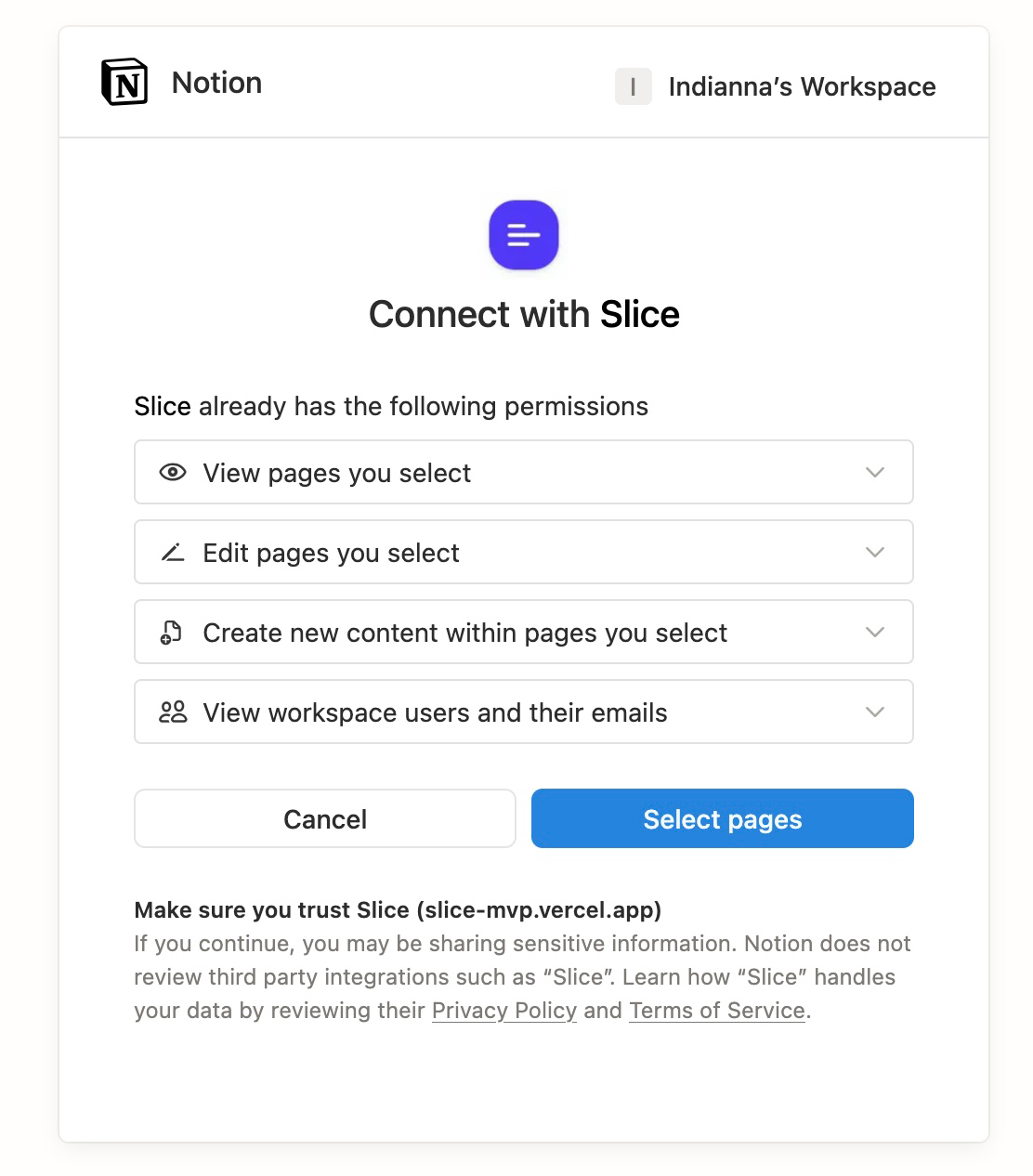
1. Onboarding / Connect screen
Connect Slice to your Notion workspace in seconds.
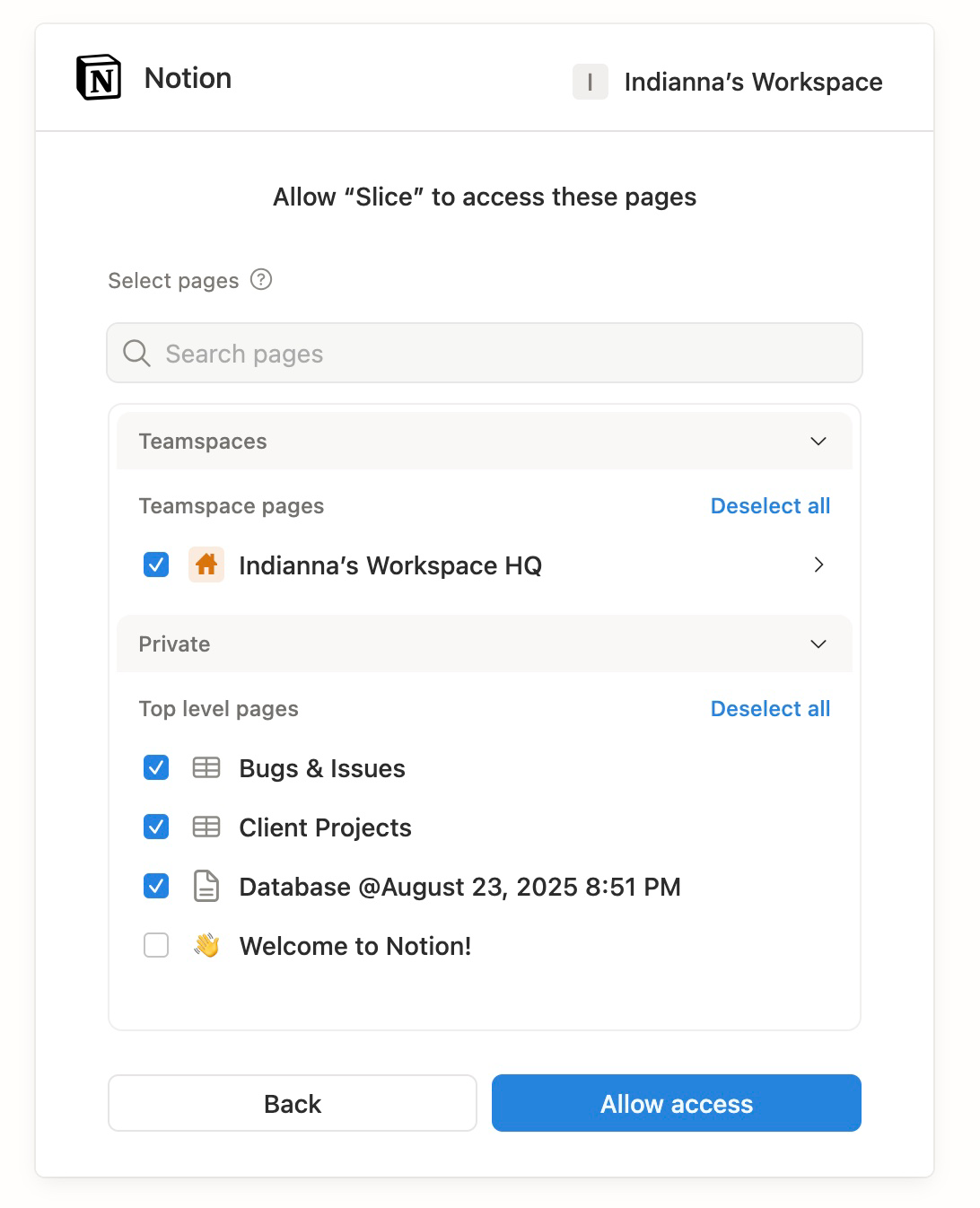
2. Notion OAuth consent
Allow Slice to access selected pages and databases.
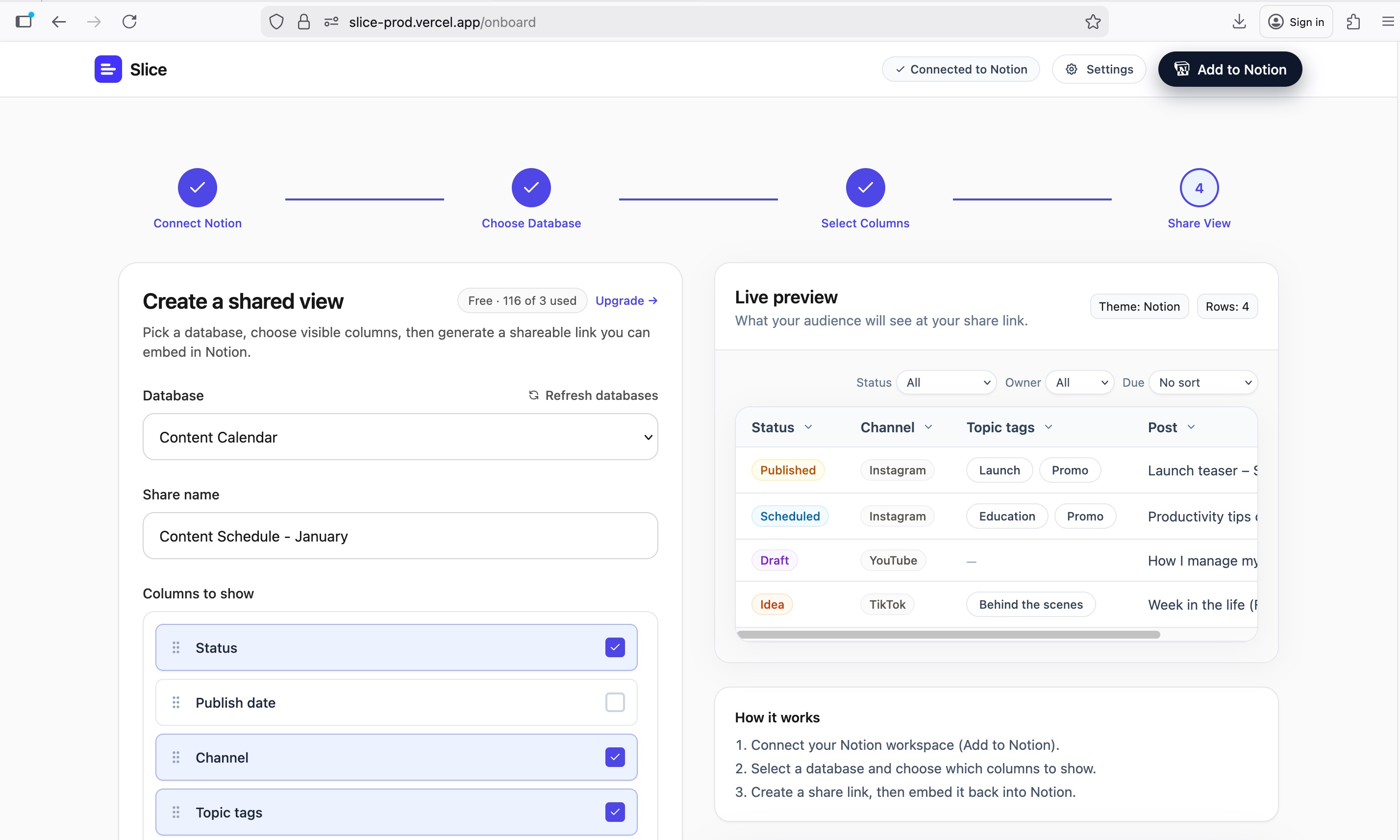
3. Dashboard - Create shared view
Select database and configure visible columns with live preview.
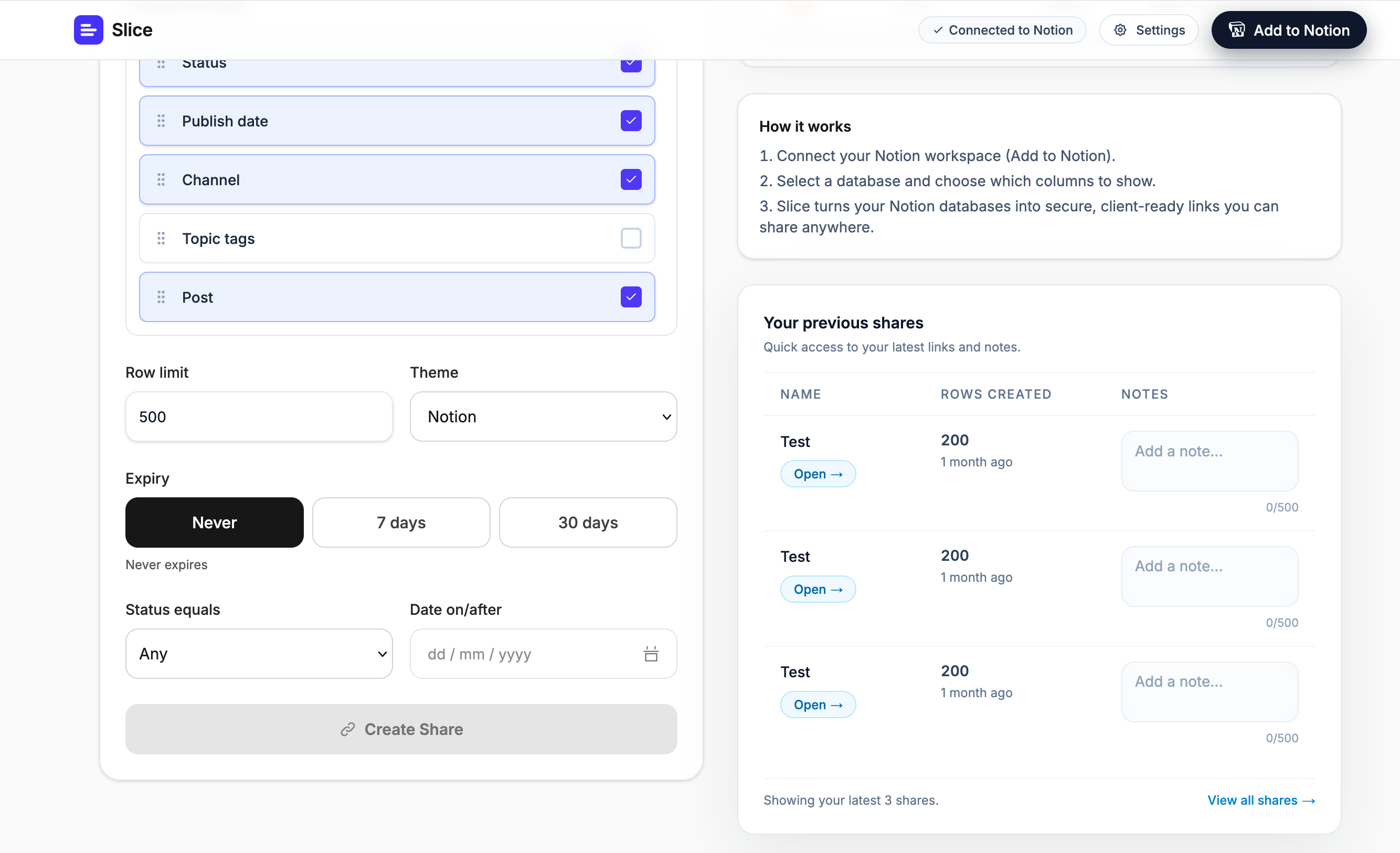
4. Dashboard - Column selection
Choose exactly which columns and rows are visible.
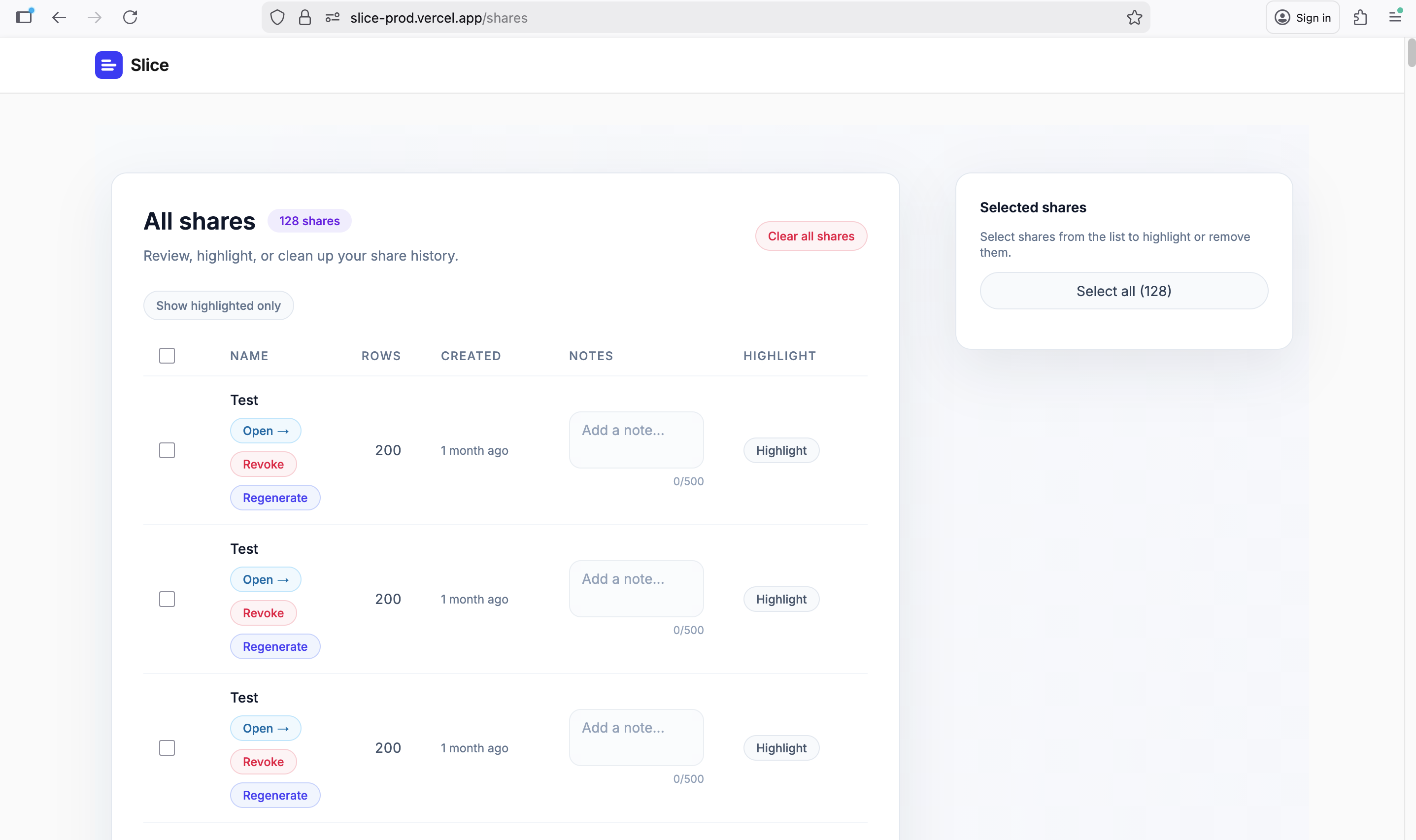
5. Shares management page
Review, highlight, and manage all your shares.
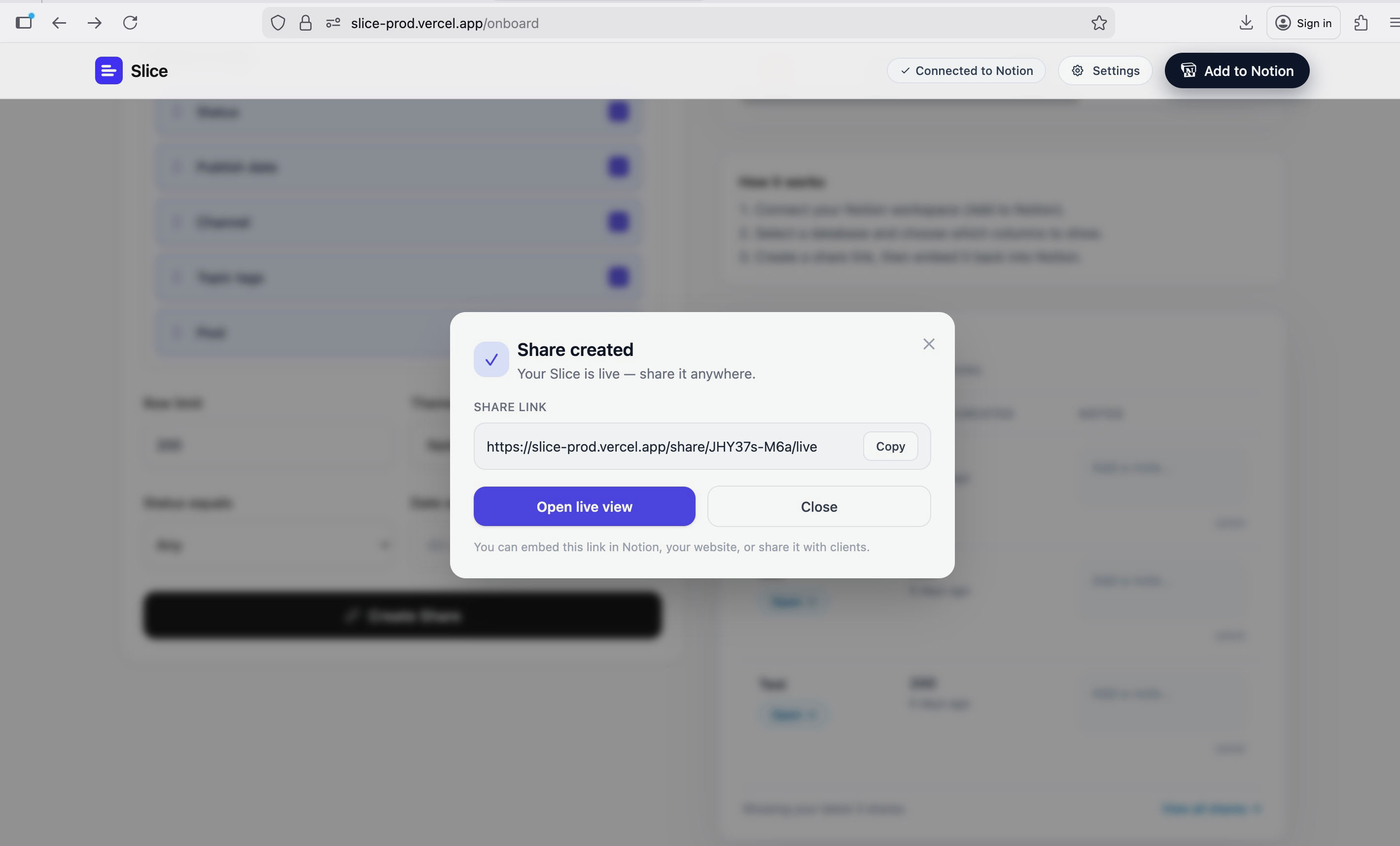
6. Share created modal
Slice turns your Notion databases into secure, client-ready links you can share anywhere.
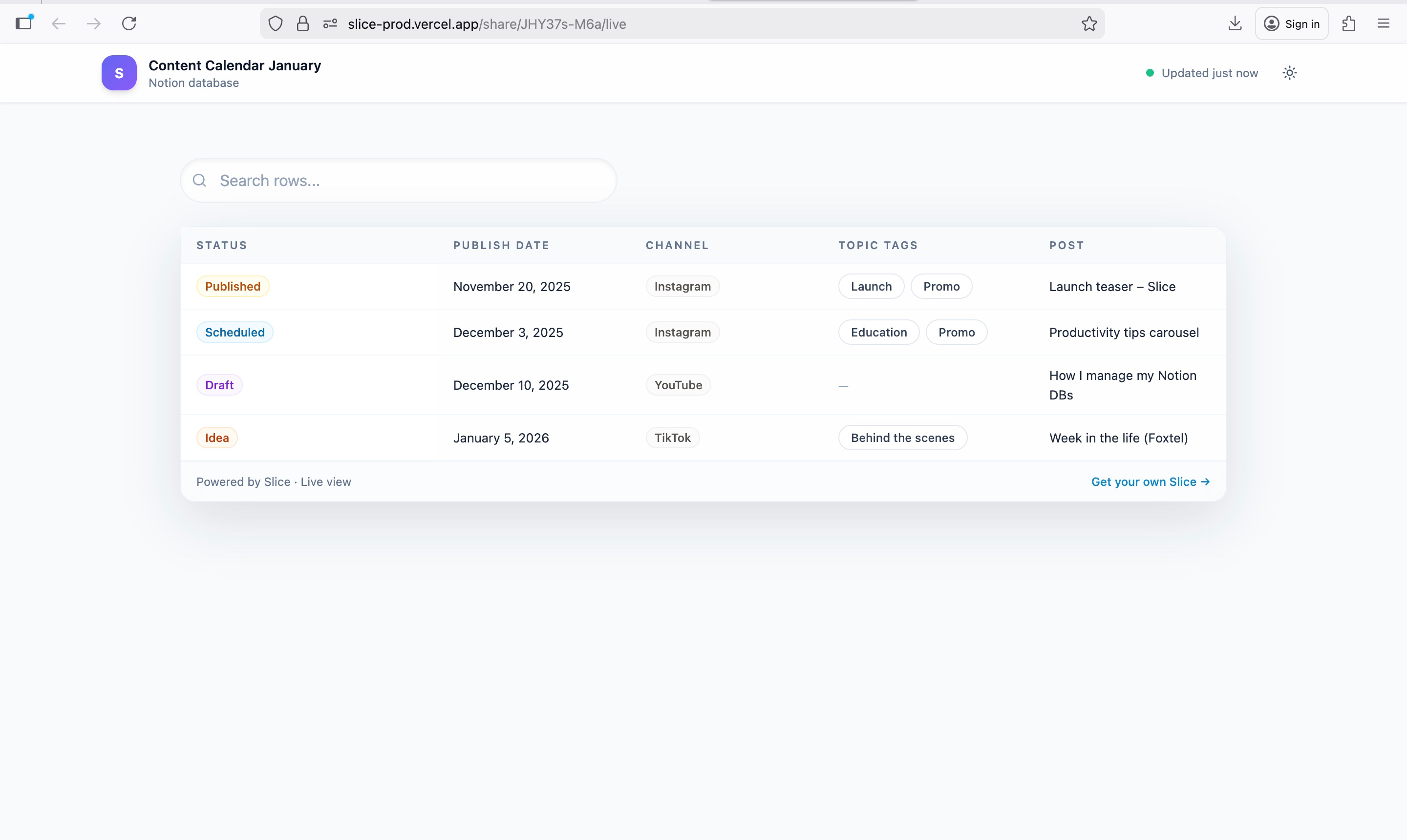
7. Live public share view
What external viewers see — clean, focused, and secure.
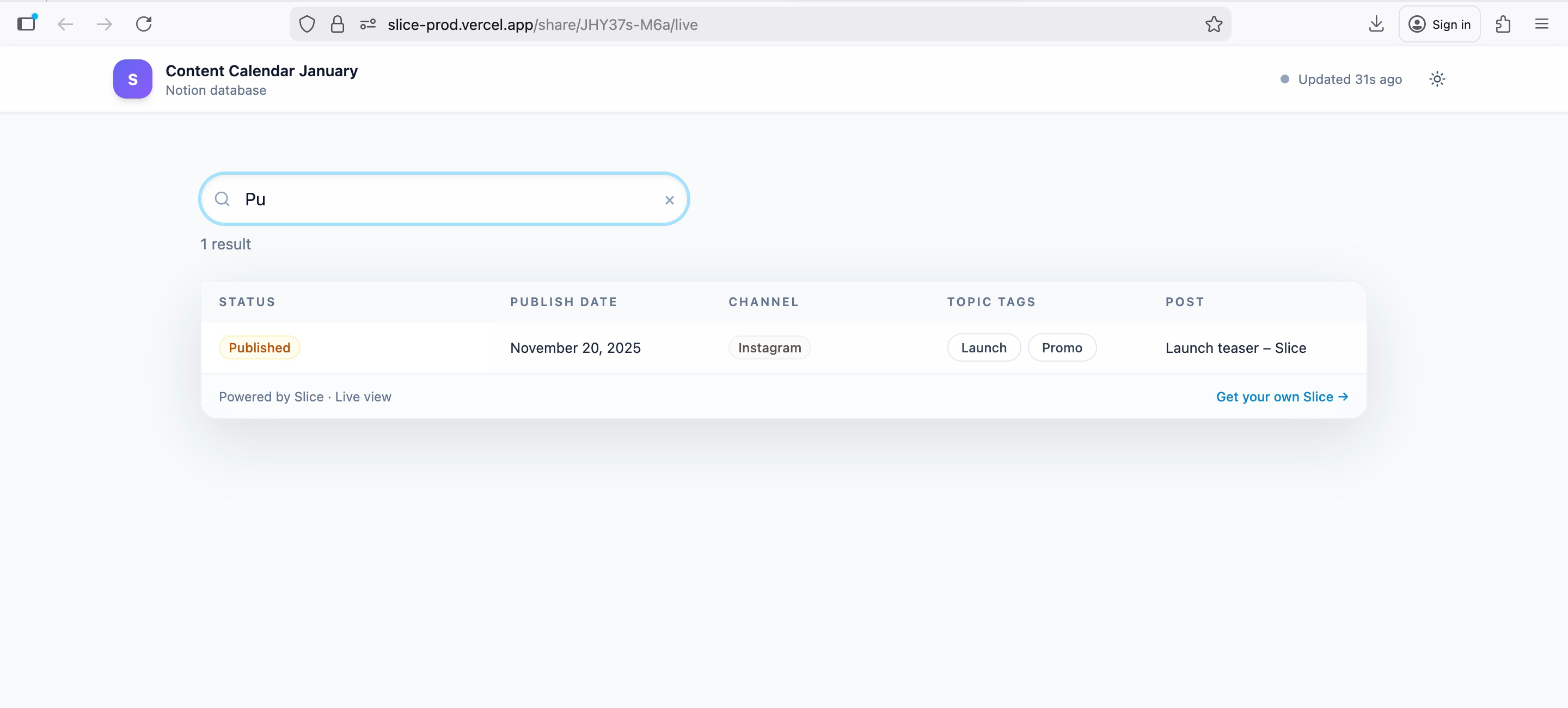
8. Live share with search
Public share view with search and filtering capabilities.
Final trust signal
Slice was built specifically to solve a real gap in Notion's sharing model —
for people who need confidence, not workarounds.
If you share Notion with clients, Slice lets you do it properly.
Optional closer (if allowed)
Share confidently. Stay in control.
Scopes Justification
Required Scopes:
- databases:read
- pages:read
- blocks:read
Why These Scopes:
These read-only scopes allow Slice to create secure, filtered views of your Notion data. We never modify your content — we only read the specific databases and properties you choose to share. All data access is logged and can be revoked at any time.
Links
- Website: https://slice-prod.vercel.app
- Support Email: sliceapp.notion@gmail.com
- Privacy Policy: https://slice-prod.vercel.app/privacy
- Terms of Service: https://slice-prod.vercel.app/terms
- Security Policy: https://slice-prod.vercel.app/security
FAQ
Q: How does Slice protect my private Notion data?
A: Slice only accesses the specific databases and properties you explicitly choose to share. We use read-only permissions and never store your Notion data permanently. All access is encrypted and can be revoked instantly by disconnecting your workspace.
Q: Can I revoke access to shared links?
A: Yes! You can revoke access at any time by disconnecting your Notion workspace in Slice, or by deleting specific shares from your dashboard. Revoked links will immediately stop working and show an error message.
Q: Can I expire, revoke, or regenerate share links?
A: Yes. Slice supports share expiry controls, and you can revoke or regenerate links from your dashboard so access stays aligned with your workflow.
Q: Are there any limits on sharing?
A: Slice is designed to handle databases of any size, with built-in pagination and search. We have rate limits to ensure fair usage.
Technical Details
Integration Type: Public Integration
Authentication: OAuth 2.0
Data Storage: Encrypted at rest with AES-256-GCM
Hosting: Vercel
Compliance: GDPR compliant
Support
For technical support, feature requests, or security concerns, please contact sliceapp.notion@gmail.com.
Slice is committed to protecting your privacy and data security. We never sell your data and only use it to provide the sharing functionality you've requested.